1. Product Description

- Reset Button
2. Product Size

- W: 114 mm
- H: 45 mm
- D: 18 mm
3. Installation
Warnings:
- Installation must be carried out by a qualified electrician in accordance with local regulations.
- Keep the device out of reach of children.
- Keep the device away from water , damp or hot environments.
- Install the device away from strong signal sources such as microwave ovens that may cause signal interruption resulting in abnormal operation of the device.
- Obstruction by concrete wall or metallic materials may reduce the effective operation range of the device and should be avoided.
- Do NOT attempt to disassemble, repair or modify the device.
4. Wiring

- Wiring the output for a single-color LED strip installation.

- Wiring the output for a dual-color LED strip installation.

- Wiring the output for an RGB LED strip installation.

- Wiring the output for an RGB+WW/RGB+CW LED strip installation.

- Wiring the output for an RGB+CW+WW LED strip installation.
5. System requirements

The PIERRE Wave system is a user-friendly solution for integrating and managing smart devices through a central platform. The system consists of the following components:
A - Required Elements:
- PIERRE Wave Products: These smart devices, including lighting, thermostats, sensors, and other appliances, connect wirelessly to the PIERRE Wave Gateway. They provide essential functions and capabilities for the system.
- PIERRE Wave Gateway: The central unit linking all PIERRE Wave devices, the gateway manages communication and data exchange, ensuring security and stability. It supports remote access and control, with the default Berlin display interface, though users can choose any PIERRE display model.
B - Optional Elements:
- Mobile PIERRE App: This app allows users to manage and monitor the system from their smartphone or tablet, offering real-time updates and remote access. It provides convenience but is not necessary for basic system operation.
- Router: An optional component that enables internet connectivity, allowing devices to be accessed and controlled remotely.
- System Operation: The gateway can connect to the router via Wi-Fi or LAN for internet connectivity, enhancing remote management capabilities. PIERRE Wave products communicate wirelessly with the gateway, which acts as the central hub. This bidirectional communication allows data to flow both ways, enabling users to send commands and receive status updates through the Mobile PIERRE App. The app facilitates effective management and real-time feedback on device statuses.
6. App-to-Device Pairing
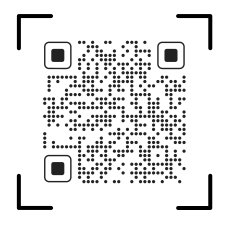
Please scan the QR code to download PIERRE application
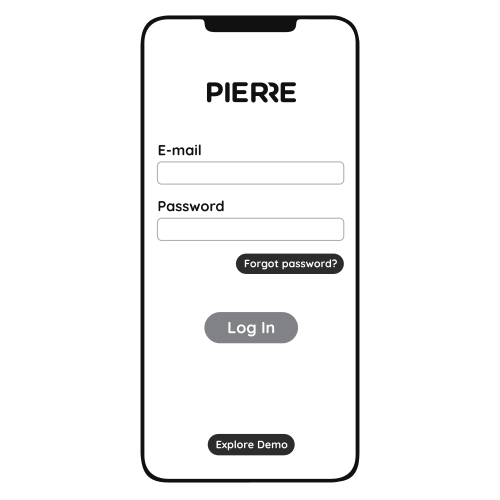
Log in with you Username and Password
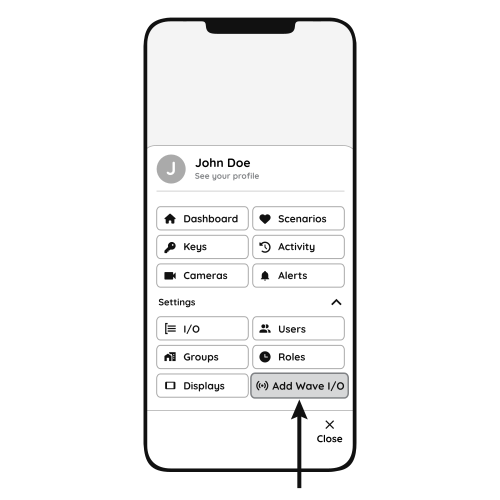
Open Settings and press "Add Wave I/O"

Press the reset button 5 times till the strip connected to the controller flashes quickly.
- Reset Key
- PIERRE Wave Gateway
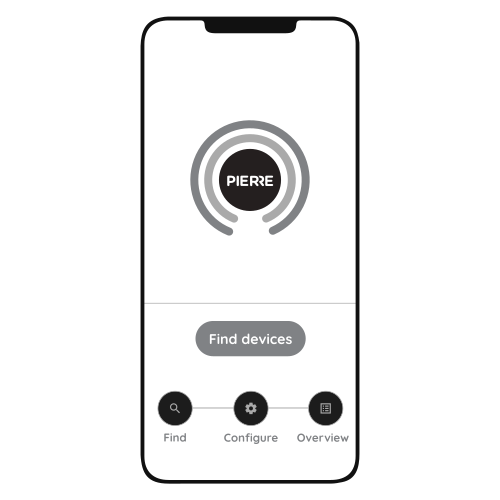
Press "Find Devices"

PIERRE application will show the list of available devices. Press "Add found devices"

Enter Name, Role and Group settings and Save it

When the Light indicator stops flashing, the PIERRE Wave pairing process is finished
7. FAQ
Q1: What should I do if I can’t configure the PIERRE Led Strip Module?
- Please check whether the device is powered on.
- Make sure your mobile and PIERRE Led Strip Module are under the same 2.4 Ghz WIFI network.
- Whether it’s in good internet conditions.
- Make sure the password entered in the PIERRE App is correct.
- Make sure the wiring is correct.
- Make sure the PIERRE Gateway is available.
Q2: What type of LED strip can be connected to this PIERRE Led Strip Module?
All types of LED strip, such as single color, dual color, RGB, RGB+WW(or RGB+CW) & RGB+WW+CW.
Q3: What happens if the WIFI goes off?
The LED strips still work, but you can't change colors with your smartphone.
Q4: What should I do if I change the WIFI network?
You have to re-connect our PIERRE Controller to the new WIFI network accordingly as per the App-to-Device Pairing.
Q5: How do I reset the PIERRE Led Strip Module?
Press the reset button 5 times or more till the strip connected to the controller flashes quickly.