1. Product Size

D: 13 mm
2. Product Description

- Status Indicator
- Button
- Sensing probe
3. Network Setting

Insert a thin blade or coin into the slot on the battery cover and rotate it anticlockwise to open.

Remove the battery insulation film to power on the product, then close the battery cover.

Press and hold the reset button for 5 seconds, then release. The blue LED will flash, indicating network setting mode.
4. Installation

Place the product in a fixed position within the detection area.
It is recommended not to move it randomly, in order to avoid affecting the monitoring.
Bottom view: Place the product securely in this area.
5. System requirements

The PIERRE Wave system is a user-friendly solution for integrating and managing smart devices through a central platform. The system consists of the following components:
A - Required Elements:
- PIERRE Wave Products: These smart devices, including lighting, thermostats, sensors, and other appliances, connect wirelessly to the PIERRE Wave Gateway. They provide essential functions and capabilities for the system.
- PIERRE Wave Gateway: The central unit linking all PIERRE Wave devices, the gateway manages communication and data exchange, ensuring security and stability. It supports remote access and control, with the default Berlin display interface, though users can choose any PIERRE display model.
B - Optional Elements:
- Mobile PIERRE App: This app allows users to manage and monitor the system from their smartphone or tablet, offering real-time updates and remote access. It provides convenience but is not necessary for basic system operation.
- Router: An optional component that enables internet connectivity, allowing devices to be accessed and controlled remotely.
- System Operation: The gateway can connect to the router via Wi-Fi or LAN for internet connectivity, enhancing remote management capabilities. PIERRE Wave products communicate wirelessly with the gateway, which acts as the central hub. This bidirectional communication allows data to flow both ways, enabling users to send commands and receive status updates through the Mobile PIERRE App. The app facilitates effective management and real-time feedback on device statuses.
6. App-to-Device Pairing
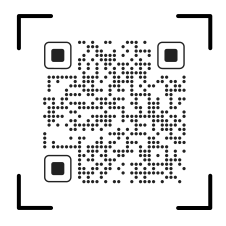
Please scan the QR code to download PIERRE application
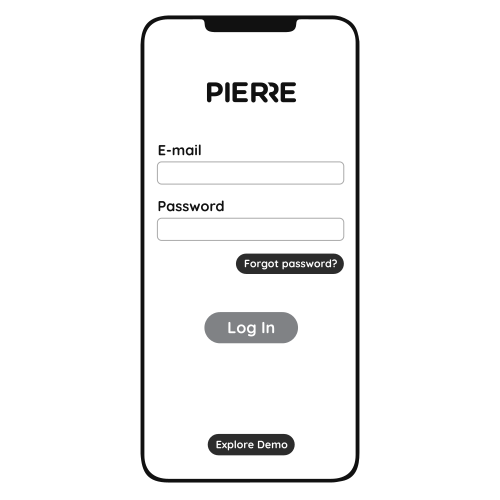
Log in with you Username and Password
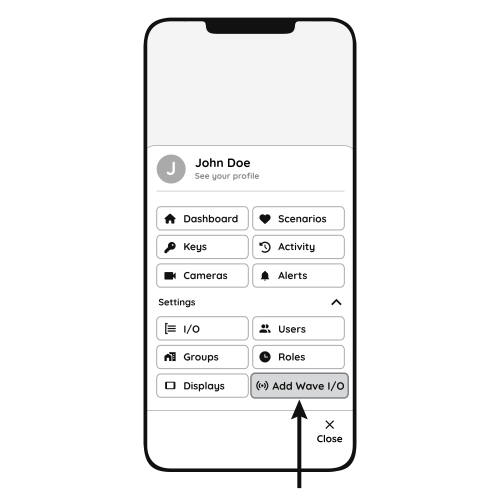
Open Settings and press "Add Wave I/O"

Press and hold the Reset Key for 10 seconds until the Indicator Light starts flashing
- Sensor
- PIERRE Wave Gateway
Distribution Network Hint
Press and hold for 5 seconds until the indicator light flashes and the product enters distribution mode.
- The distribution network timeout is 30 seconds.
- If it exceeds 30 seconds and the product is still not connected to the phone, the product will exit distribution mode.
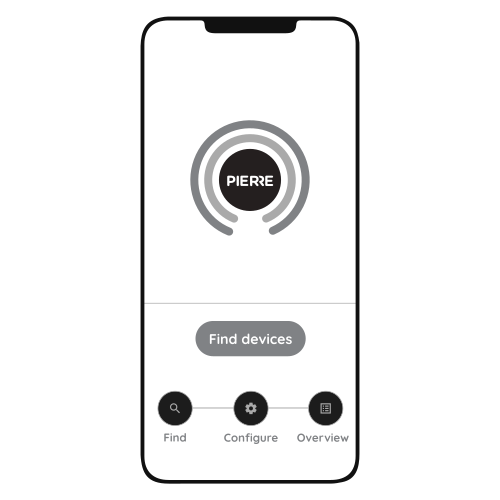
Press "Find Devices"

PIERRE application will show the list of available devices. Press "Add found devices"

Enter Name, Role and Group settings and Save it

When the Light indicator stops flashing, the PIERRE Wave pairing process is finished